October 15, 2026
Skill progress and moving with the ring menu
I’ve been working through another round of beta feedback, with a few additions to make everyday adventuring more comfortable. Two of the changes are visible right on the HUD: a new skill XP display and a ring menu that you can keep open while moving.
See your skills improving
When you gain talent experience, a small skill XP bar now appears below your character XP bar. It shows the talent’s icon, current level and XP, then fades away after a few seconds without further progress. You can see it here while I’m training Sailing.
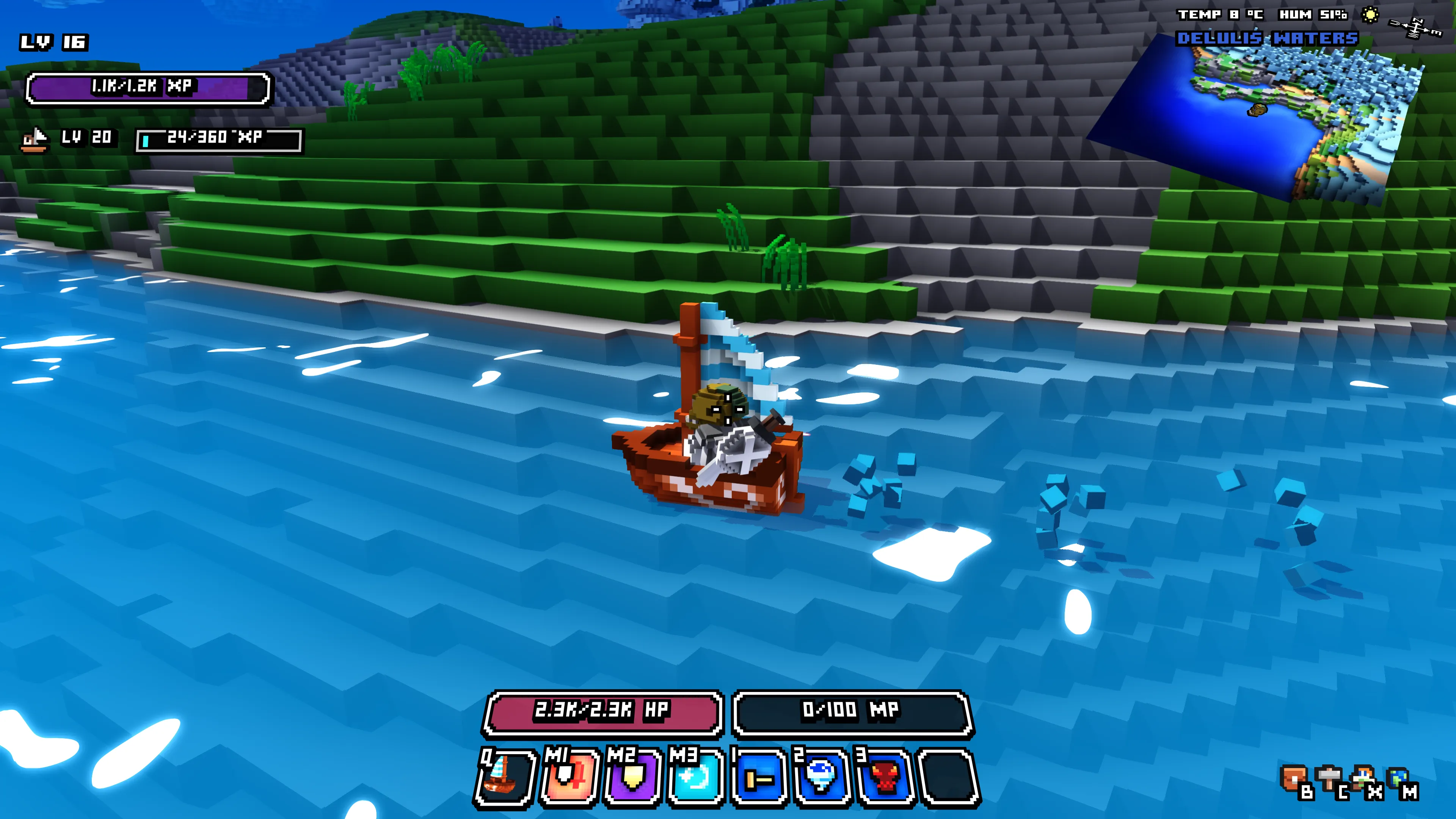
This makes it easier to follow your progress without opening the talent window. I’ve also moved buffs into a horizontal row beside the character XP bar to leave room below it.
Keep moving with the ring menu
You can now open the ring menu while moving and continue walking forwards or backwards. The left and right keys still cycle through your items, so you can choose what you need as you go.
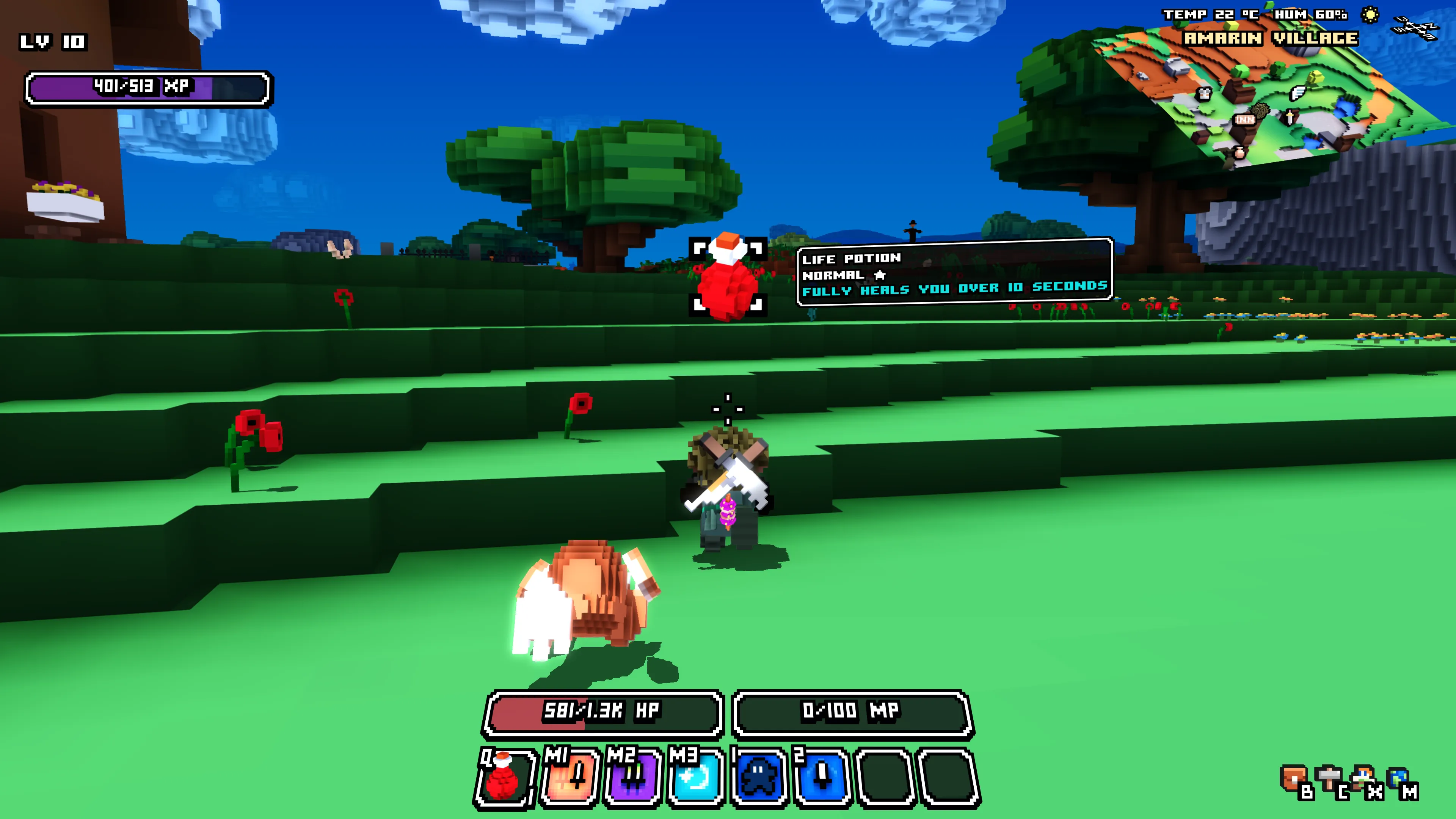
If you open the ring menu while standing still, it keeps its familiar behavior and closes when you start moving.
More fixes along the way
This update also adds an optional FPS limiter and an F6 FPS counter, and fixes disappearing item icons. Sneak training works again, Guardians generate more damage-based aggro, and poison and bleeding are cleared when you die, while elixir buffs remain.
I’ve adjusted equipment and jewelry drops, improved item stacking, and addressed issues with pets, mana requirements, world-map tiles and coastal villages. There are also fixes for character selection and loading on systems with fewer CPU threads.
You can find the complete list in the 0.1.2 patch notes.
Thanks for all your reports and for continuing to test Cube World Omega!
Wollay