October 13, 2026
Map navigation and bulk selling
I’ve added two new features to Cube World Omega to make exploring and sorting through your loot a little easier: shortcuts on the world map and bulk selling at vendors. Here are the highlights! You can find the full list of changes in the patch notes.
Finding your way back
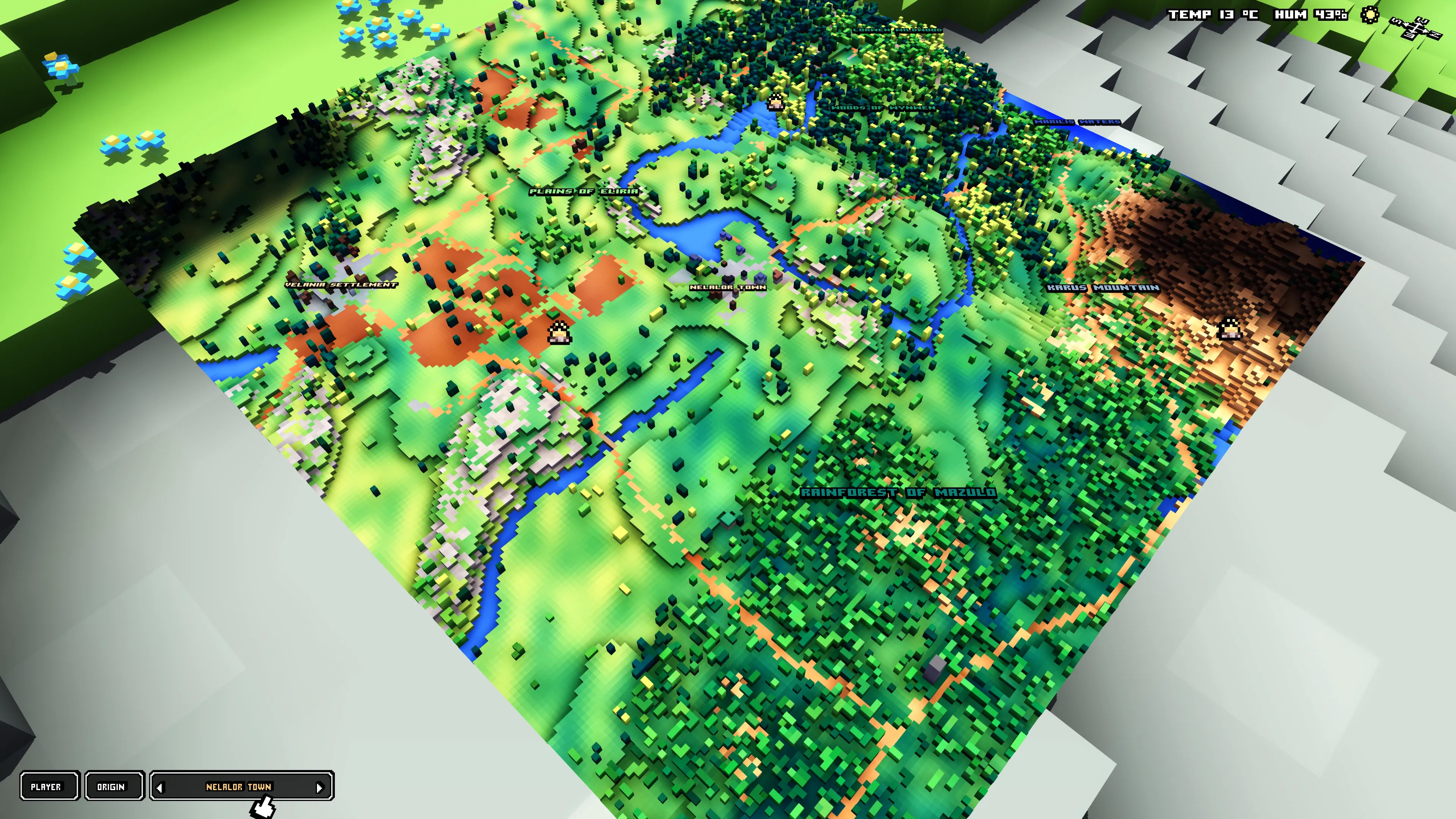
The maximized world map now has a small row of buttons in the bottom-left corner. PLAYER brings the map back to your current position, and ORIGIN takes it to where your character started.
Next to those buttons, you can browse your 10 most recently visited villages. Clicking an arrow centers the map on the previous or next village, so you can quickly find a settlement you passed through earlier. You can also click the village name to center it again after looking around the map.
The list is saved with your character. Revisiting a village moves it to the most recent end of the list, without adding a duplicate. It starts empty with this update and fills as you explore.
Selling a bag full of loot
When you’re talking to a vendor, you can now mark unequipped items in your inventory using the gold checkboxes beside their names. The selection stays with you as you switch inventory tabs, so you can choose weapons, armor and other items for the same sale.
A Sell button appears below the inventory, showing how many items you’ve selected and how much gold you’ll receive. One click sells the whole selection. The Deselect button beside it clears your choices, and equipped items stay out of the selection.
Selected stacks are sold in full. If you only want to sell part of a stack, you can still use the existing Shift-click selling option.
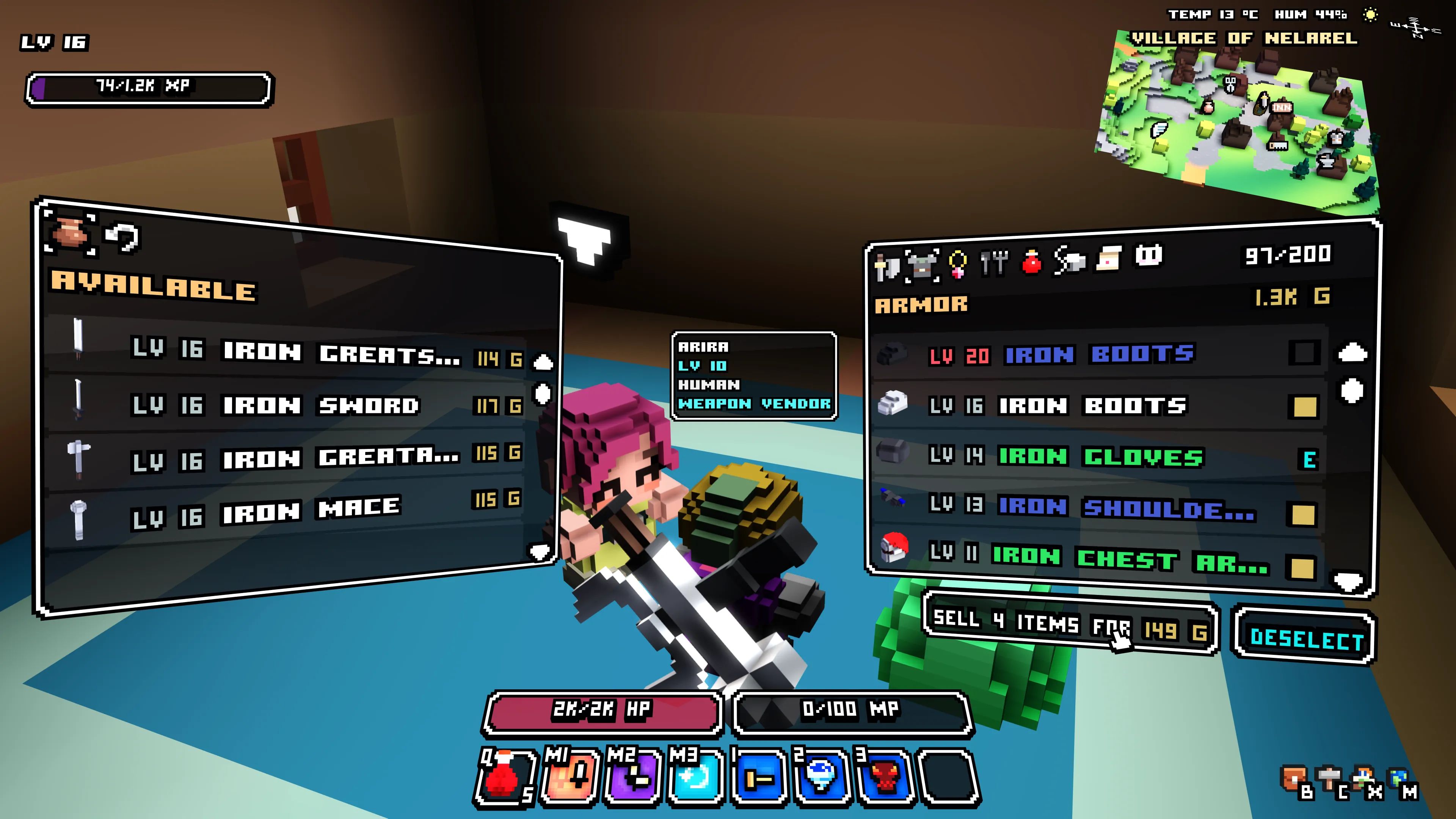
I’ve also added item levels before names in the Inventory, Vendor and Crafting lists, and made those panels wider. In the inventory, a red level warns that an item is above your current level, while items your class can’t use have a dimmed level. The counter above your gold shows how many inventory slots are occupied and changes color as your bag fills up.
A few more fixes
Holding the Interact button after picking up an item now lets you continue collecting highlighted loot. This update also includes fixes for hang gliding, missing cave enemies, multiplayer connections and incorrect display colors on some graphics setups.
I’ve addressed an intermittent launcher startup crash and improved its update diagnostics and handling of stalled downloads. You can also start your installed game while an update downloads; the new version waits until the game closes before activating.
Thanks for all the reports, screenshots and suggestions during the beta! They help me find problems and improve the little things you use every time you play.
Wollay