October 10, 2026
Interface options and clearer combat
I’ve been working on a few improvements to make combat easier to read and give you more control over how Cube World Omega looks and feels. Here are three things in the latest update!
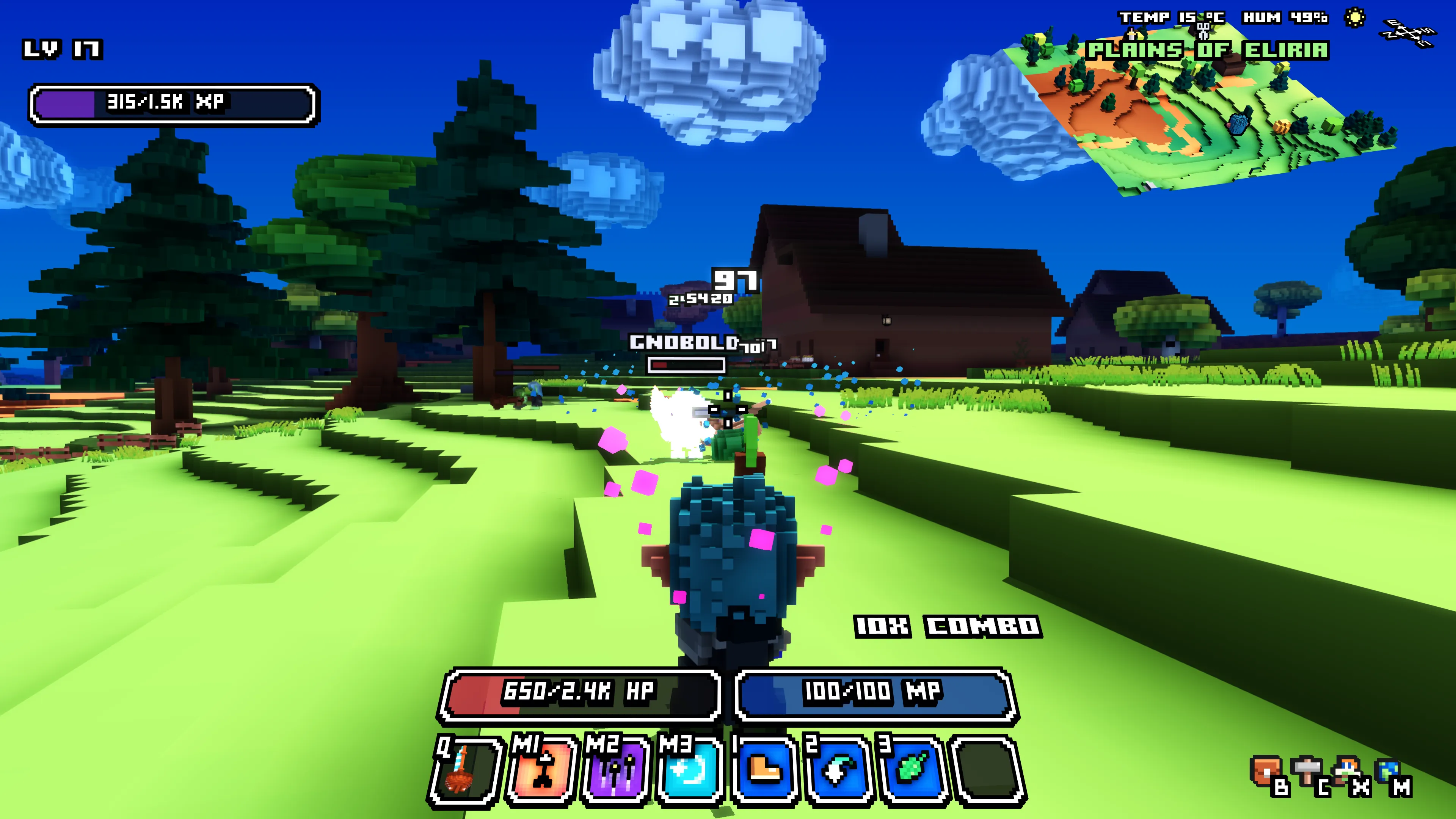
Clearer damage numbers
Damage numbers now get smaller as creatures move farther away, down to half their usual size. I’ve also adjusted where they appear so they sit above creatures, their names and health bars. This should make it easier to keep track of a fight without the numbers covering the enemies you’re trying to hit.
More interface options
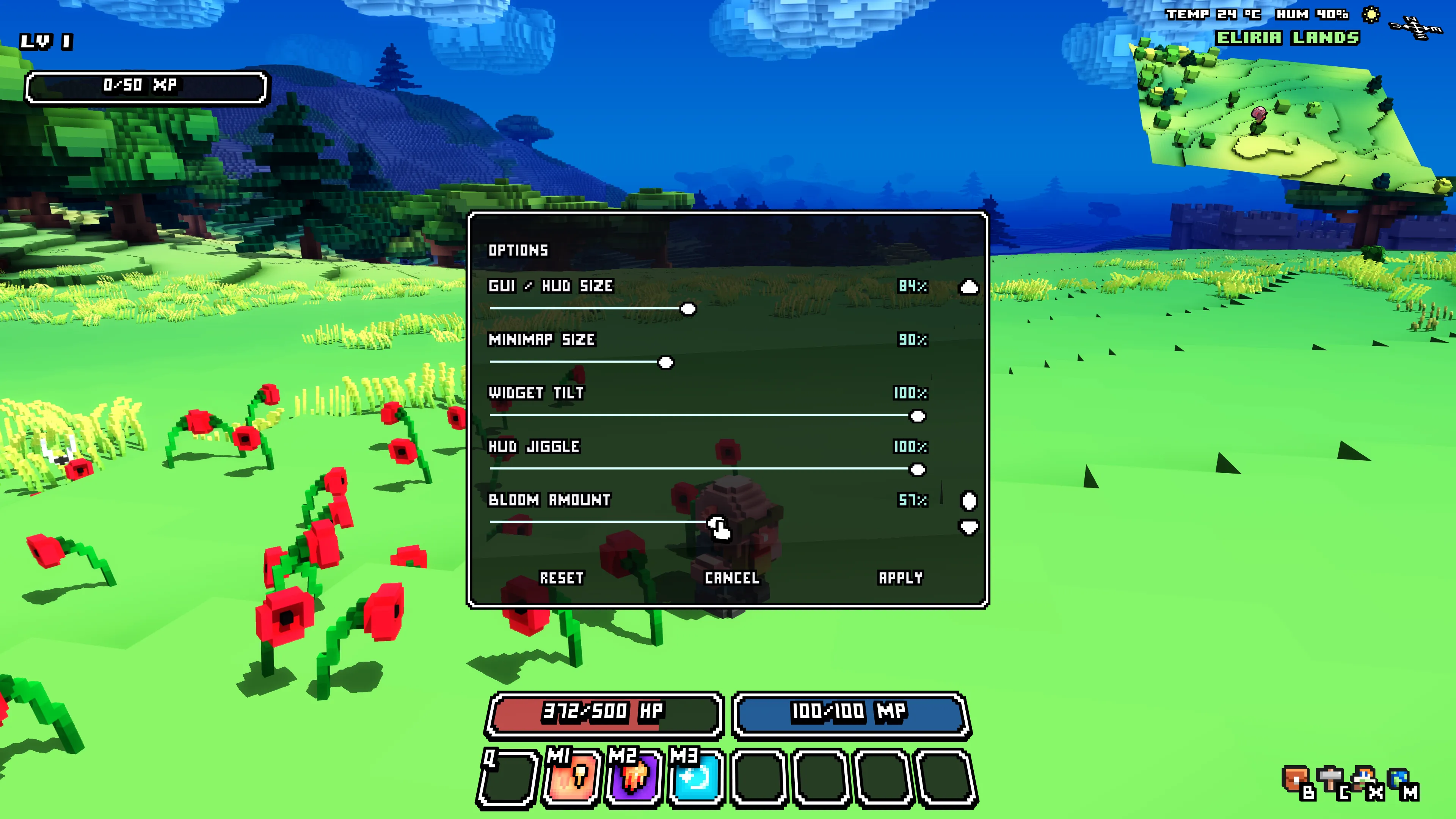
The Options menu now has a scrollable list with a few new sliders:
- GUI / HUD Size lets you resize the interface, including map labels. You can go down to 50% of the original size, while the HUD stays aligned with the edges of the screen.
- Minimap Size lets you resize the small world map separately.
- Widget Tilt controls how much menus tilt as you move the cursor. Set it to zero if you prefer them flat.
- HUD Jiggle controls how much the HUD moves with the camera. You can turn this down or switch it off entirely.
- Bloom Amount lets you adjust the glow from 10% to 100%, with 100% keeping the current look.
You can preview the changes while moving the sliders. The Options menu keeps its own size until you press Apply, so it won’t move away from your cursor while you’re adjusting it. Cancel restores your previous settings.
I’ve also added a Bloom switch to the launcher. Turning it off disables the effect completely, and the in-game Bloom slider is grayed out when it’s disabled.
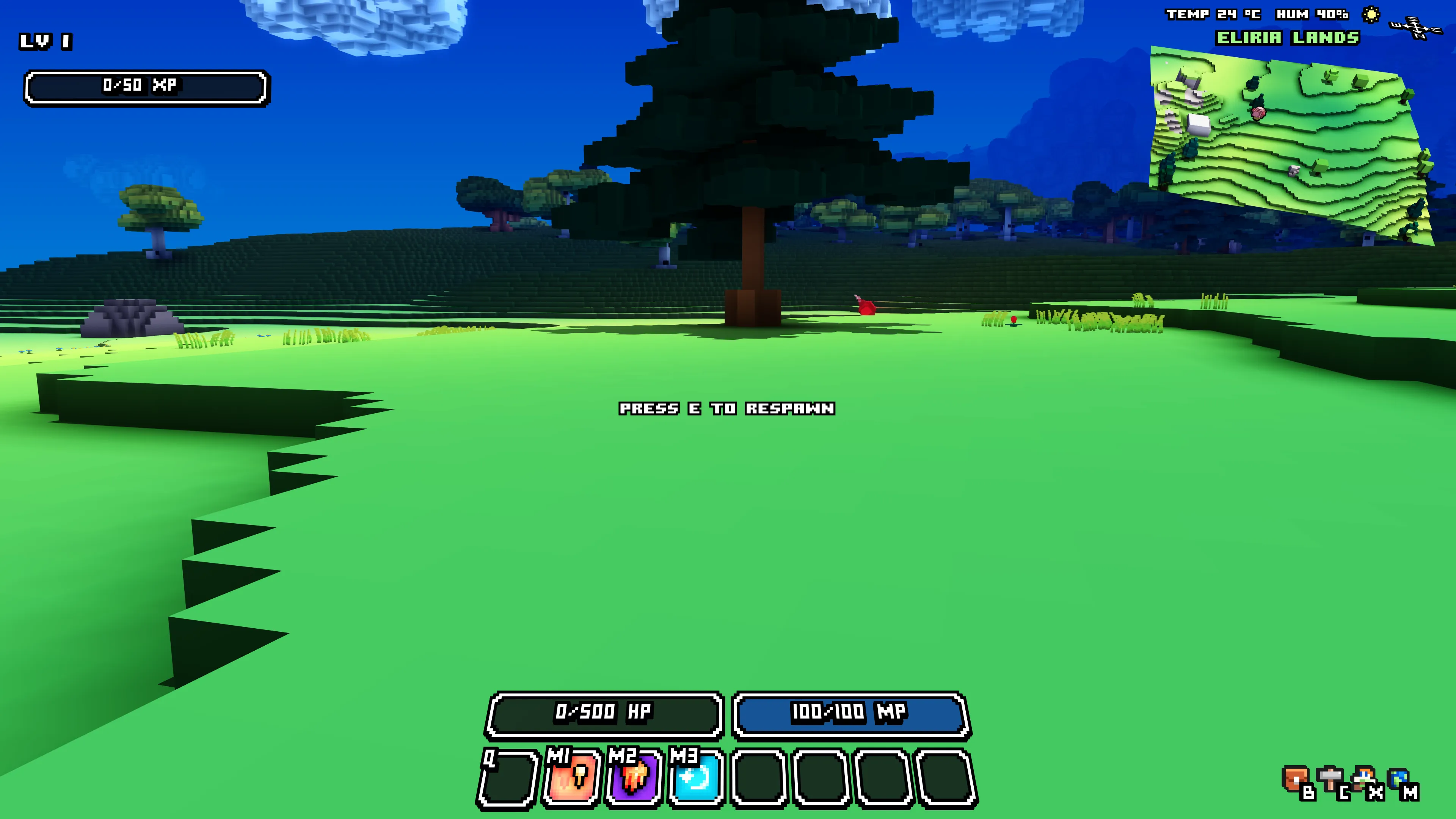
A clearer respawn prompt
When your character dies, a message now appears in place of the crosshair: PRESS E TO RESPAWN. If you’ve changed your interaction button, it shows your assigned button instead. The mouse cursor remains available for navigating menus.
Thanks for all your feedback during the beta! It’s helping me spot these little things that can make playing more comfortable.
Wollay