October 24, 2026
Character view and Spirit Cube effects
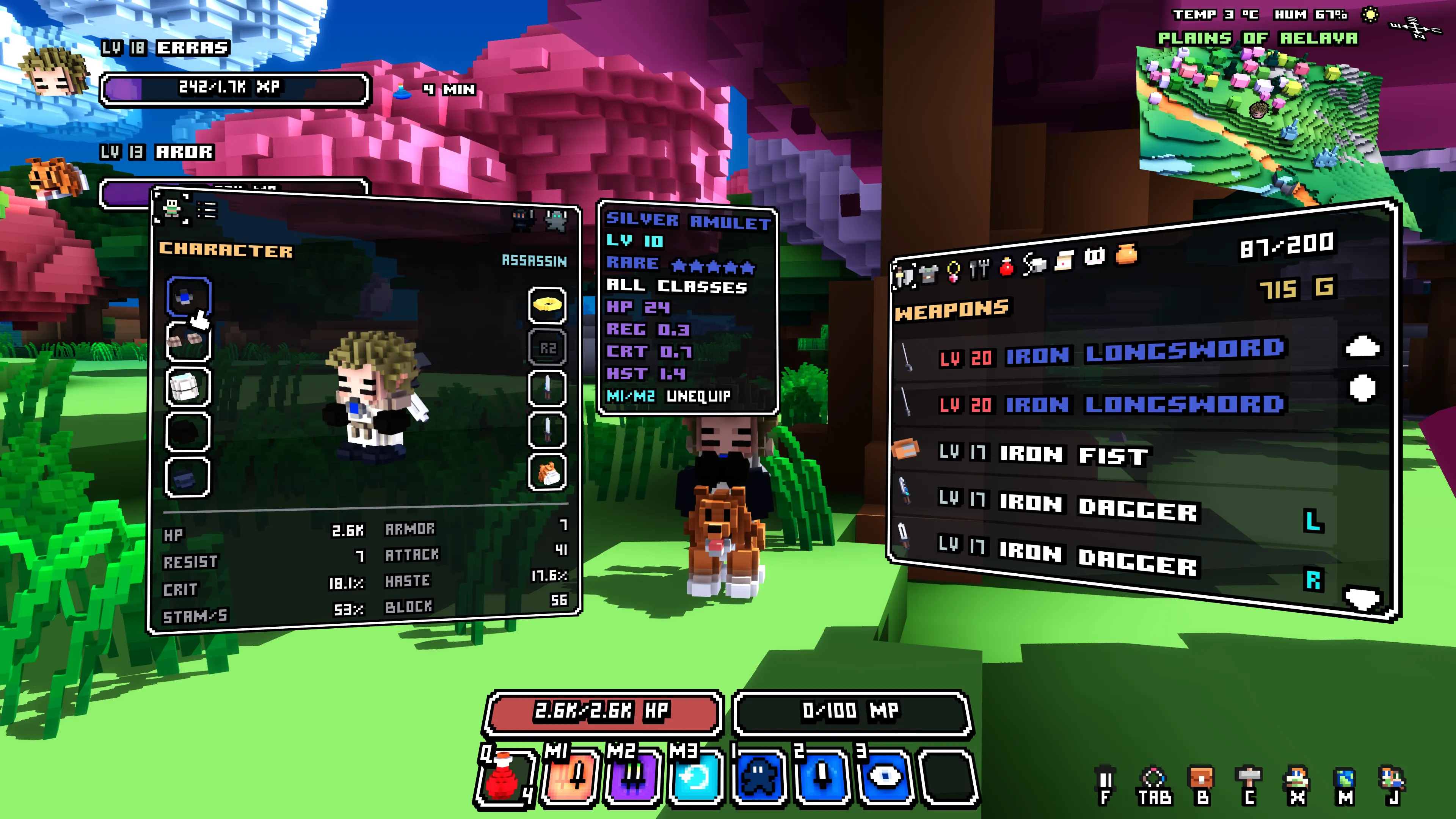
I’ve added a new Character view to Cube World Omega. It shows your character in 3D, with your equipped items around the model and an overview of your stats underneath. You can turn your character, inspect equipment and unequip items directly from their slots.
The Character view fits beside the inventory, so you can keep both open while looking through your gear. Your equipped items stay in the inventory as before. Talents are on the second tab, and you can still switch specialization from either tab.
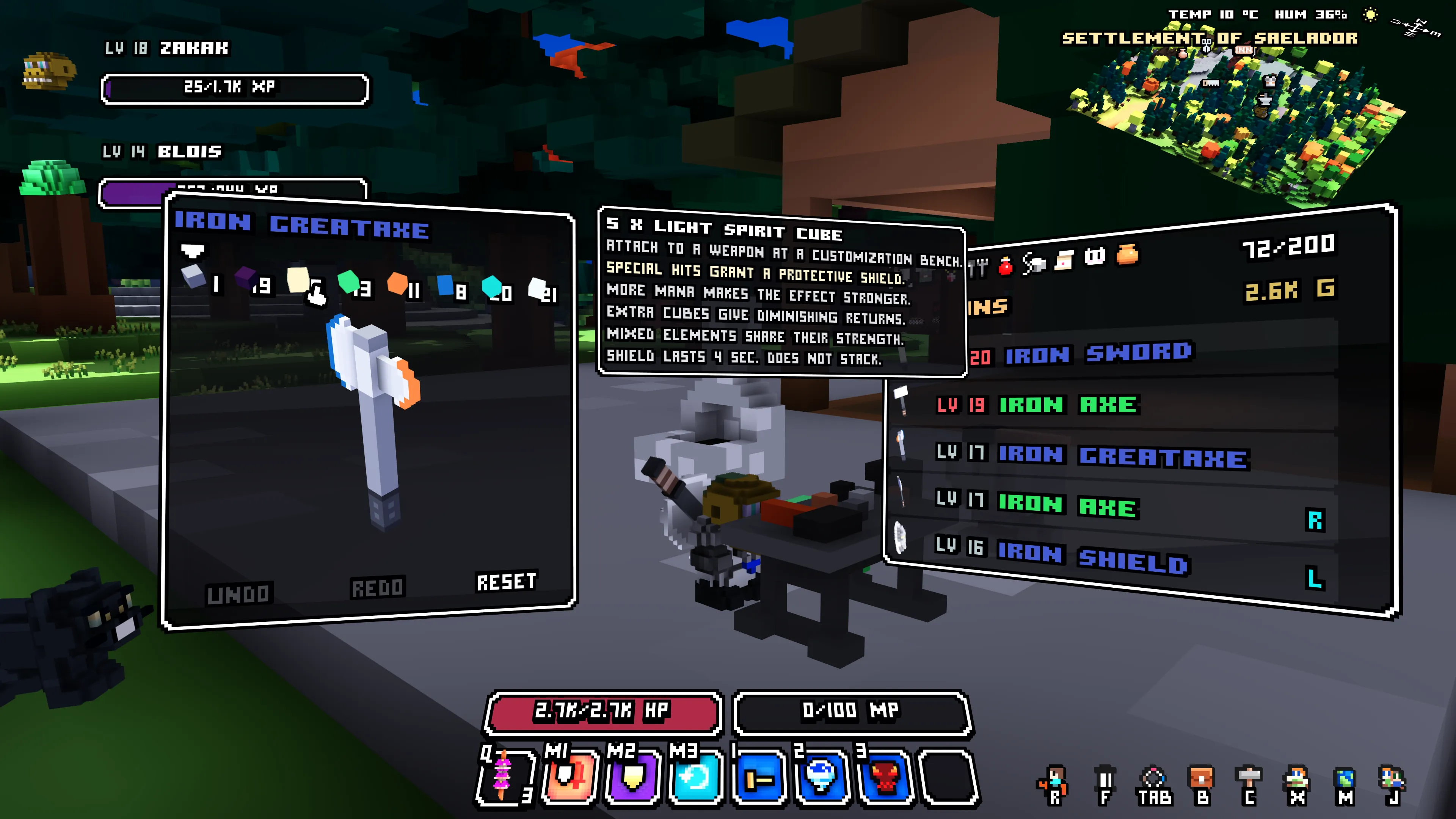
I’ve also given Spirit Cubes effects when attached to weapons at a customization bench. They activate when you hit an enemy with a special attack that spends mana, using M2 by default.
Light Spirit Cubes grant a temporary protective shield. Here you can see the new tooltip while customizing a greataxe:
Wind Spirit Cubes give you a brief movement-speed boost after a successful special hit:
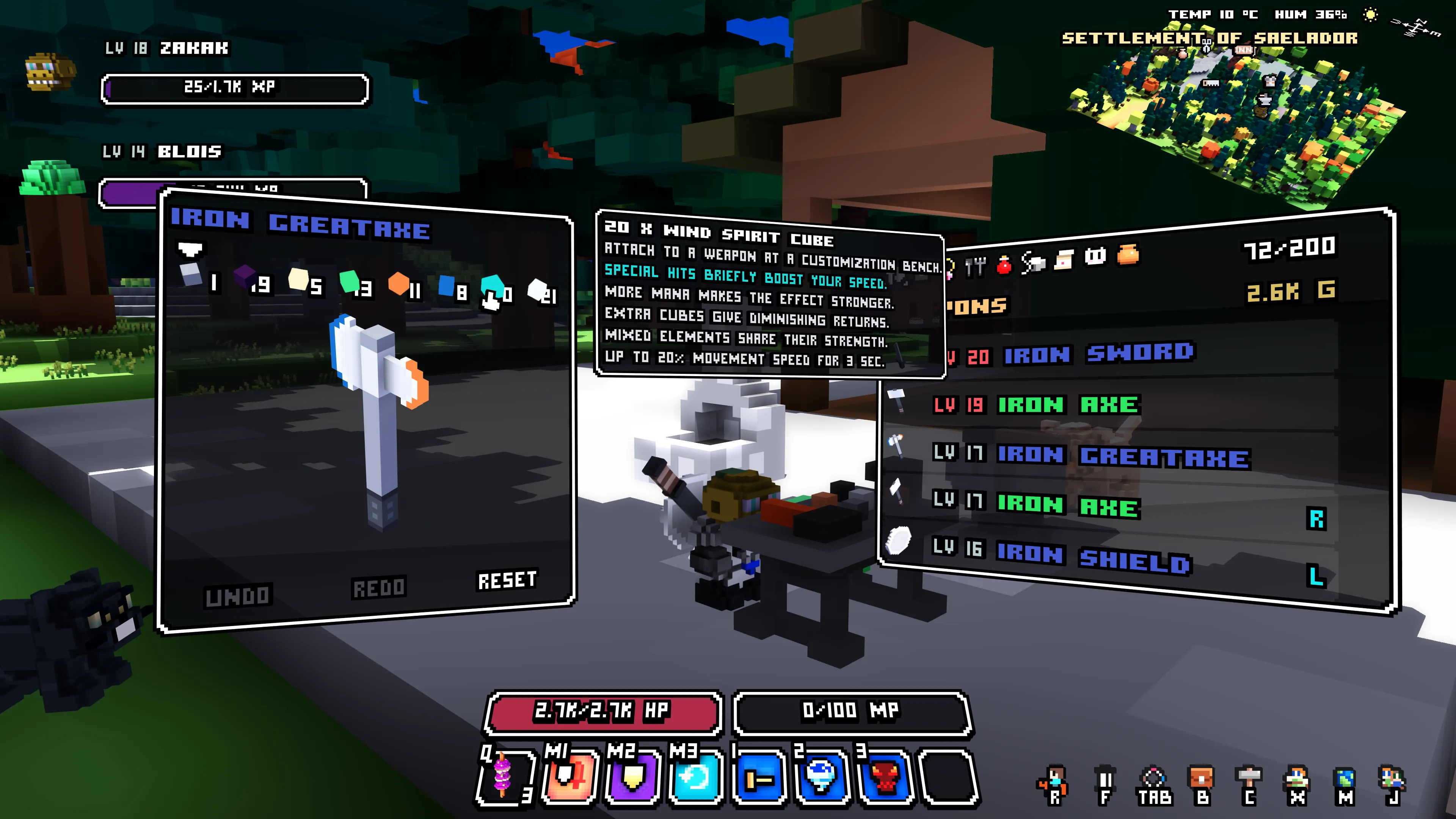
The other elements have their own effects, too: Fire burns enemies, Water creates healing water on the ground, Unholy steals life, and Ice slows movement and attacks. Successful triggers give a short colored flash and glowing cube particles.
Spending more mana makes the effects stronger. Adding more cubes helps, with diminishing returns, and mixing elements shares their strength.
These effects are ready for beta testers to try, but they still need testing and will probably need more balancing. I’d love to hear how they feel with your class, weapon and cube combinations!
There are a few more improvements in this update: Water Mage weapon spells heal for three times as much, Healing Stream no longer has a cooldown, and terrain loading makes better use of CPUs with many cores.
You can find the full list in the 0.1.11 patch notes.
Wollay